Blendboard:A Tool for Inventing Image Styles
A Figma plugin I designed and built that blends your references into a style nobody’s made yet
Currently in progress
01The challenge
Unique imagery takes time and money most projects don’t have.
Every brand wants a look of its own. Getting one usually means a photo shoot, an illustrator or weeks of exploring, and most budgets and timelines can’t cover that. So the work falls back on stock, and the brand ends up looking like everyone else.
AI should help, but getting a generator to combine the references you love usually means describing it all in words and hoping. Most of the time you land on a look somebody else already made.
02The insight
Node tools are built to repeat a look. Blendboard is built to find one.
Tools like Figma Weave and ComfyUI are great once you know what you want. They lock a process down so you can run it again and again. Exploring is different. It’s messy and visual, and you don’t know the answer until you see it, so Blendboard treats style like breeding. Pull images apart into their qualities, mix them on purpose, keep what’s interesting and breed again.
03How it works
Board. Rounds. Style.
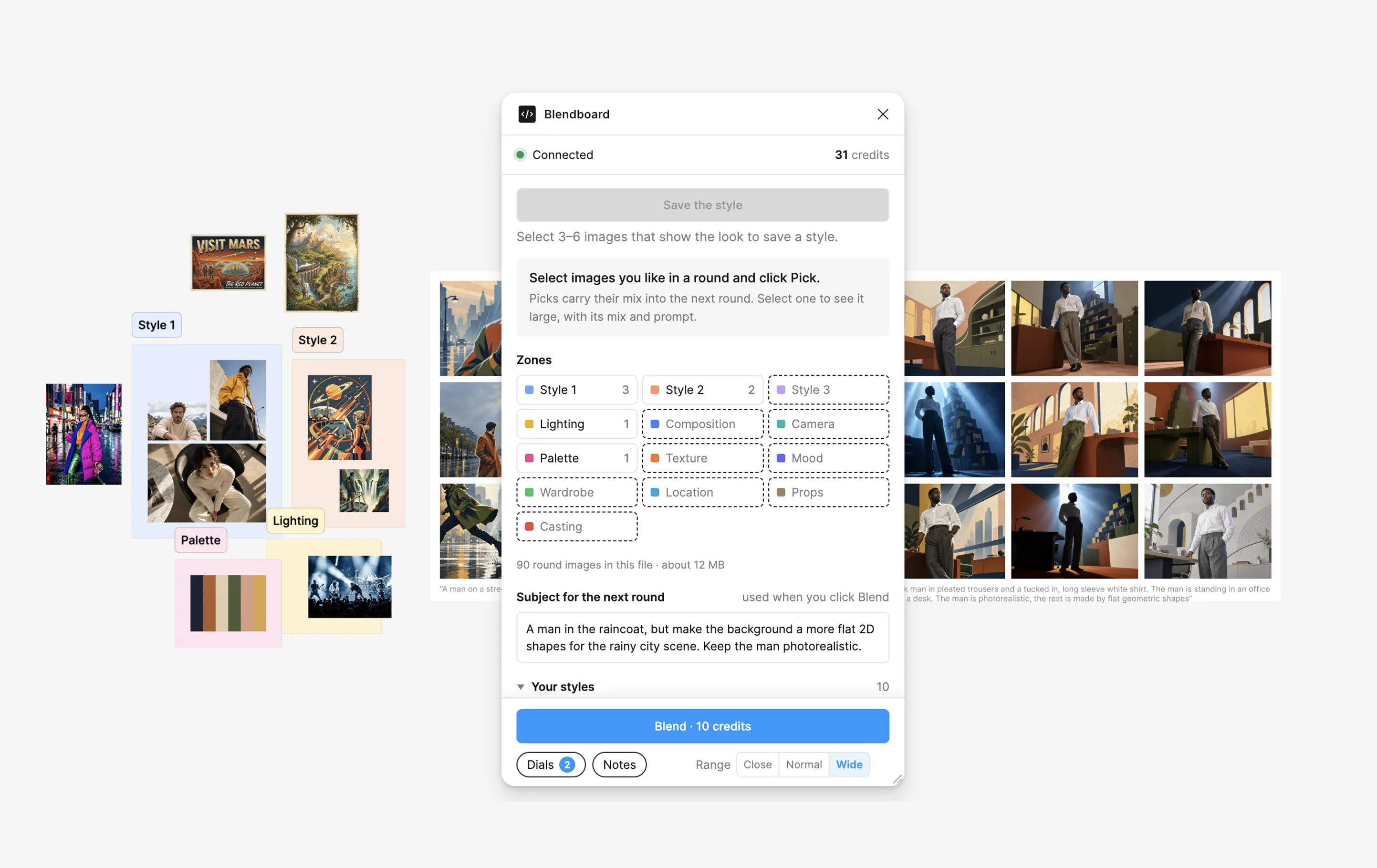
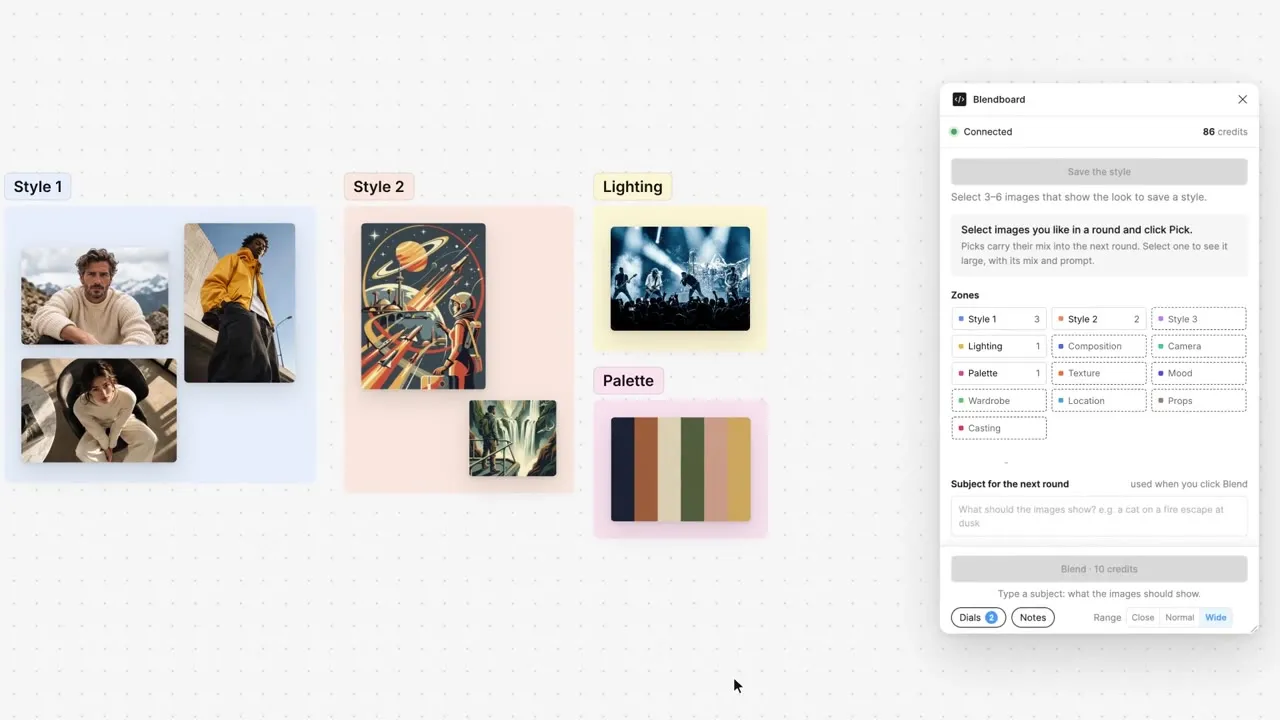
- Board: Drop references on the canvas and sort them into zones like Style, Lighting, Palette and Camera. Each image only gives the mix what it’s there for.
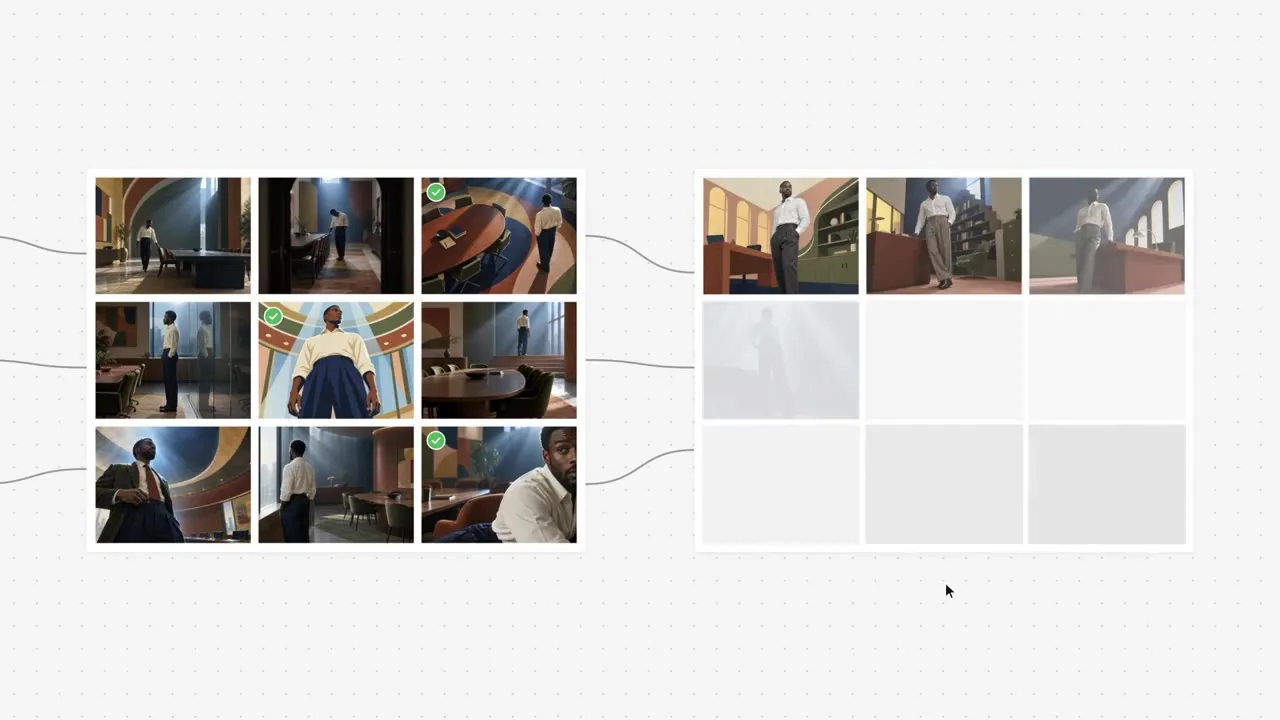
- Rounds: Hit Blend and get nine new images. Pick the ones worth chasing and their mix carries into the next round. A Range setting decides how far each round strays.
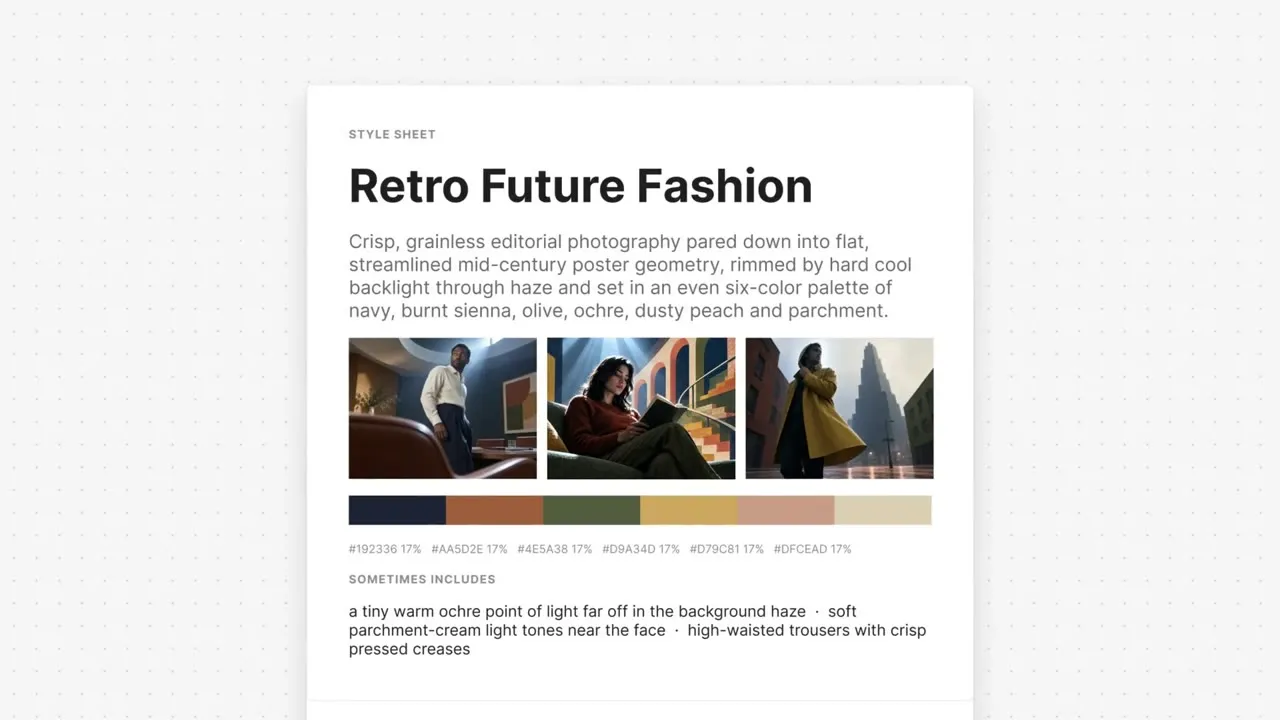
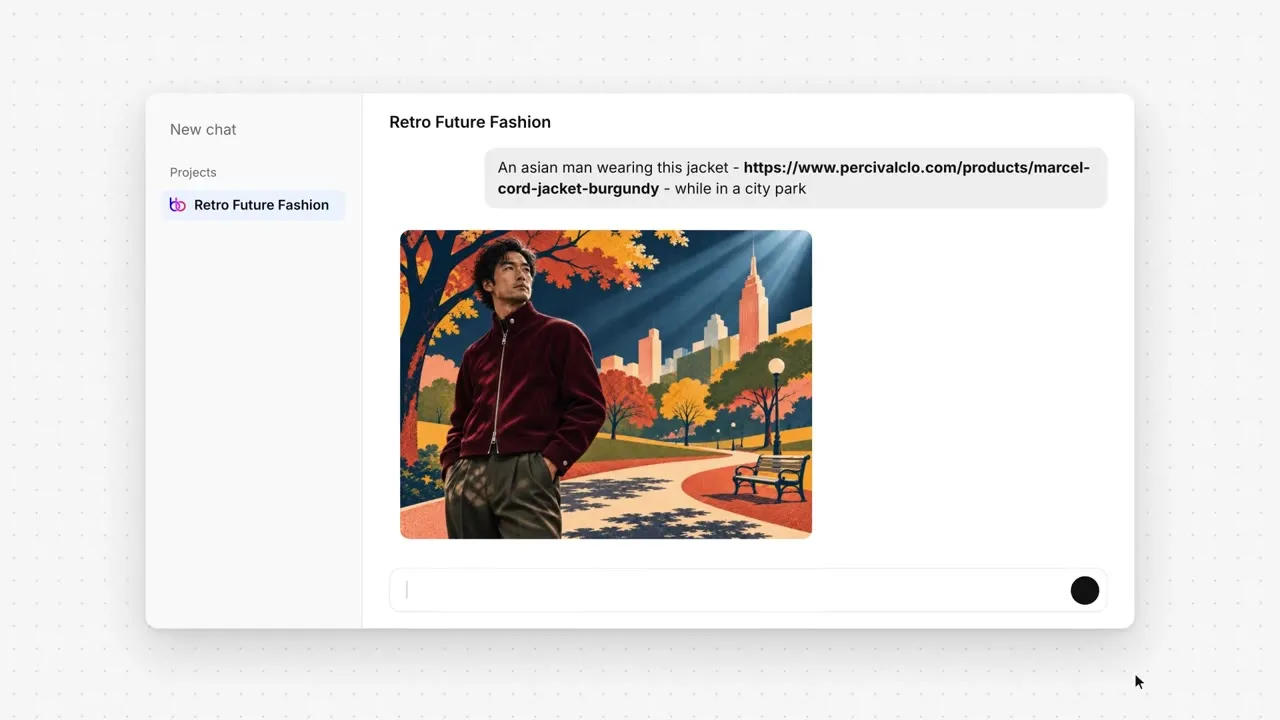
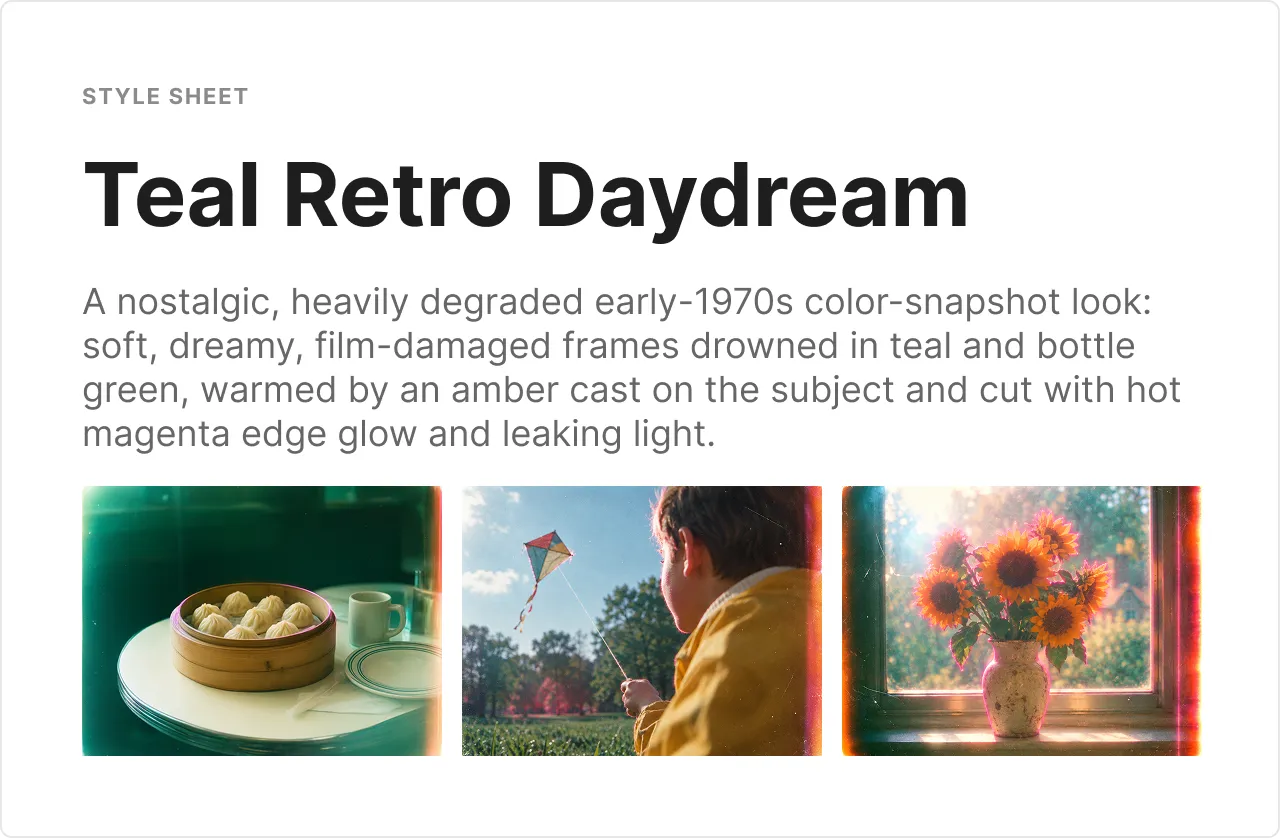
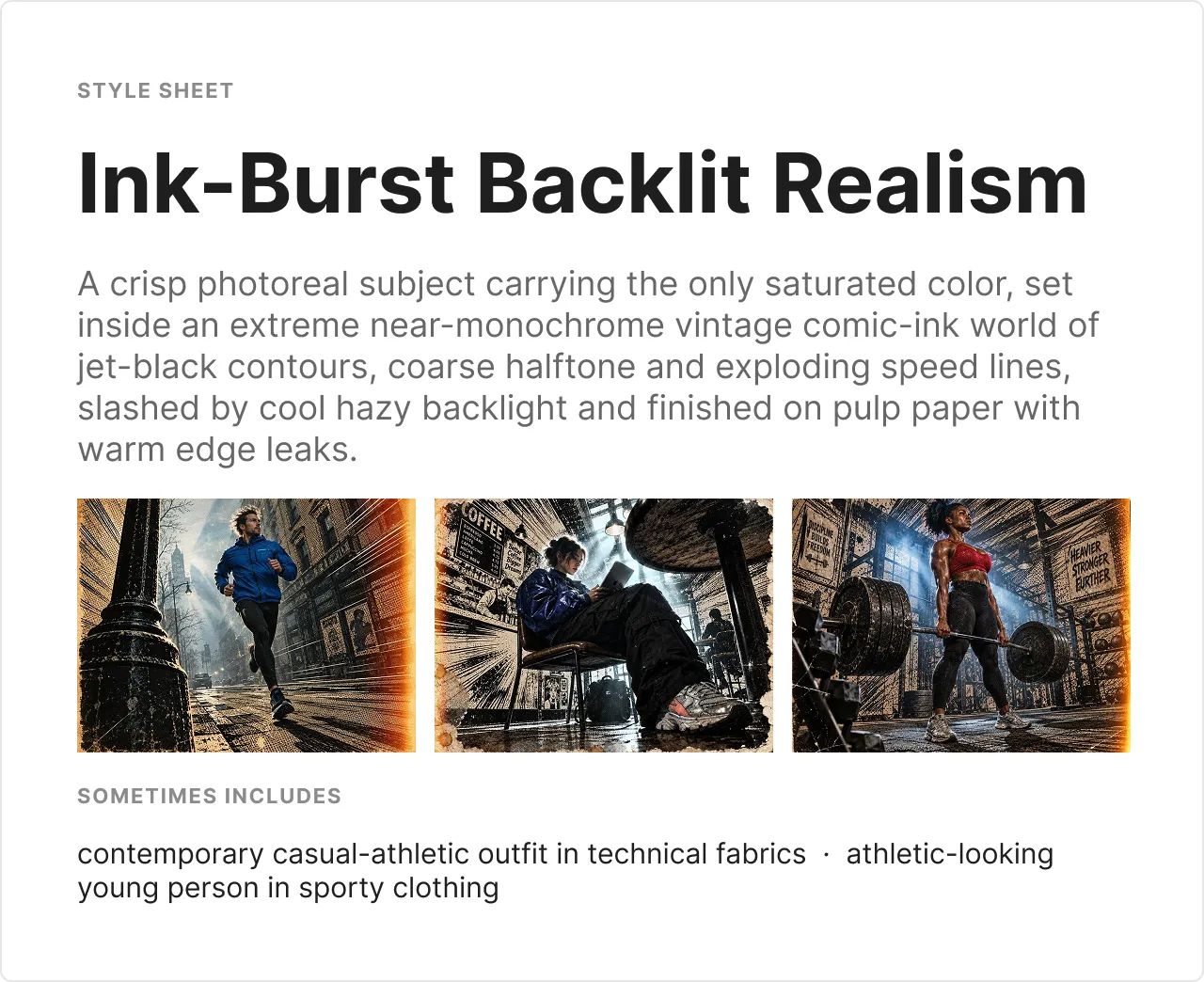
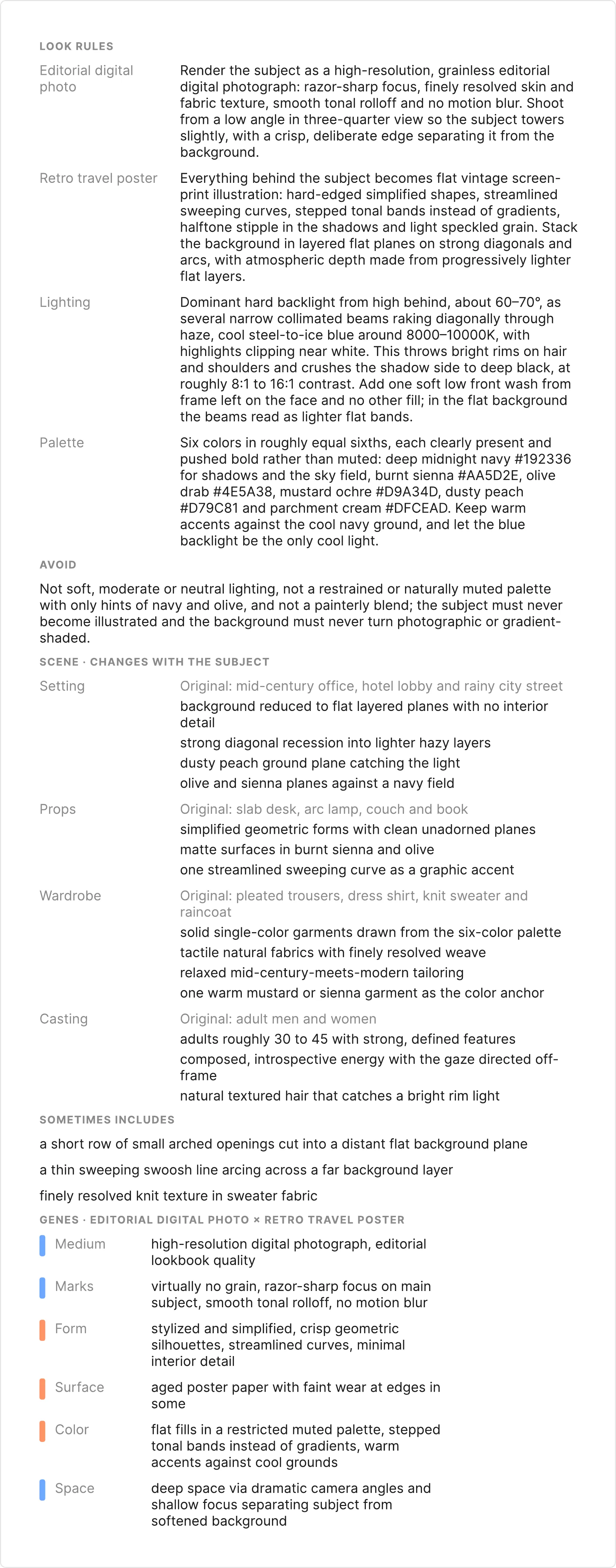
- Style sheet: Pick the images that show the look and save it. Blendboard writes a style sheet with the look rules, the palette and what changes with the subject.
- Any tool: Take the style to GPT, Higgsfield, Google Flow or whatever you already use.
04Invented styles
New styles by Blendboard
Each of these started as a board of references and a few rounds of picks. The style sheet holds the look steady while the subject changes, whether it’s dumplings, a kite or a deadlift.
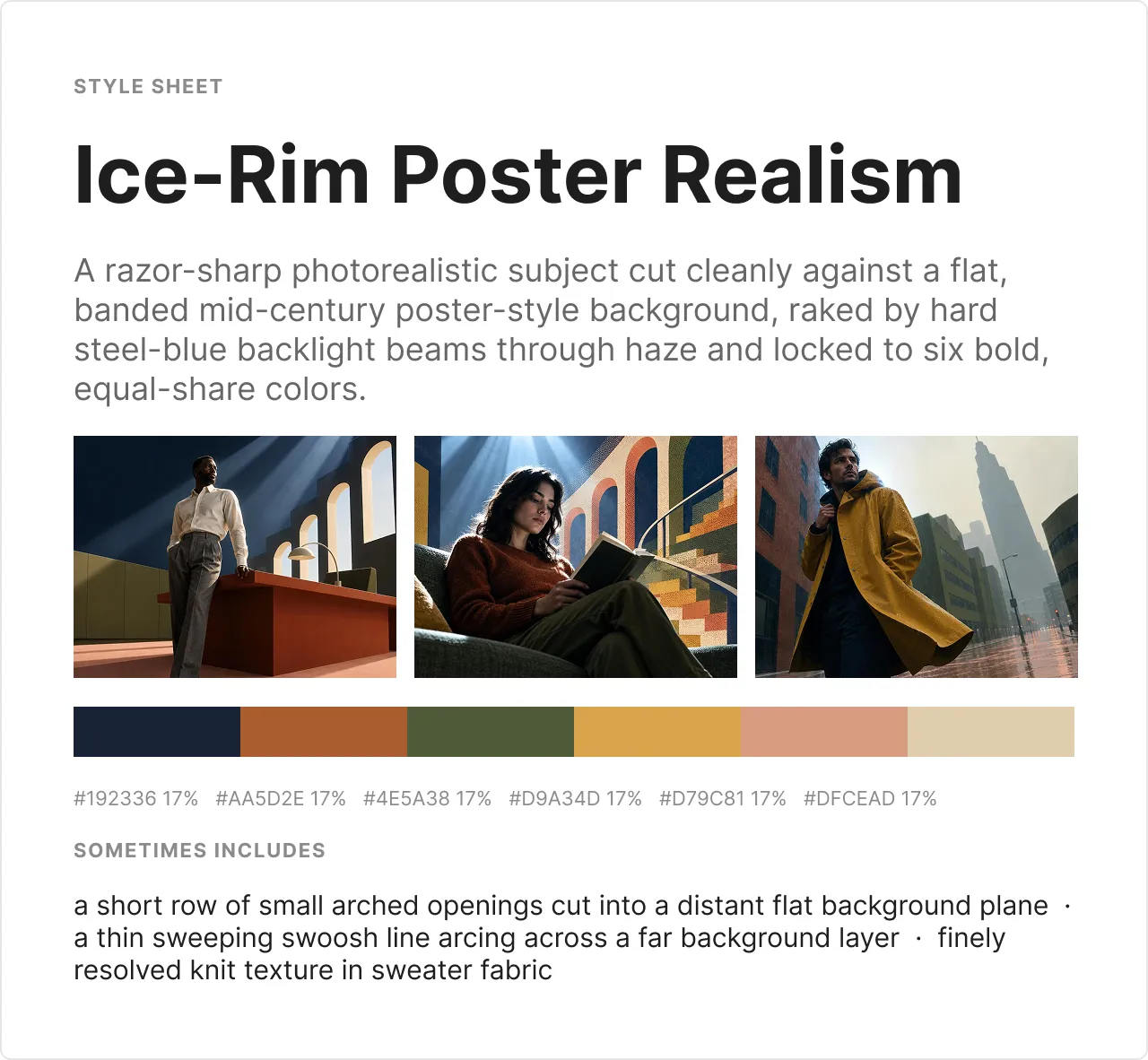
Inside a style sheet: the look rules for Ice-Rim Poster Realism
05Design decisions
Built the way designers work
- A canvas, not nodes: Designers think by moving things around and seeing them side by side. Wires and boxes make you think like a programmer first.
- Inside Figma: Designers and art directors already spend their day there. Asking them to open one more app is one more reason not to try it.
- A fast model for rounds: Rounds are for exploring, so they need to be quick and cheap. The better model only comes in once you’ve found something worth keeping.
- A style sheet as the output: Blendboard doesn’t try to be your image generator. Art directors already have their favorites, so it hands them something that works in any of them.
06Where it’s headed
From prototype to product
Blendboard started as a standalone app. Now it lives in Figma as a plugin, so the board sits right on the canvas next to the rest of the work. A design mode comes next, for composition and shapes and not just imagery.
Launching at blendboard.design.
07My role
- Role
- Came up with the product, then designed the interface, made the brand and built it with Claude Code.
- Through
- The Big Bad Good
- Status
- In progress
- Tools
- Claude Code
- Figma
- Higgsfield
- Vercel
- Supabase
- Work
- Product concept
- Interface design
- Brand identity
- Prototyping